Imagine giving your store a set of smart eyes, eyes that do not just see but understand everything happening on the floor in real time. That is the core idea behind retail computer vision, a technology that uses AI to analyze video and images from your existing in-store cameras. It is about turning raw security footage into a goldmine of actionable business intelligence. For US AI teams, Prudent Partners offers image annotation services.
What Is Retail Computer Vision
For years, e-commerce has had a massive advantage: tracking every click, hover, and cart addition to paint a rich picture of customer behavior. Retail computer vision finally brings that same level of granular insight into the physical world of brick-and-mortar stores. For US AI teams, Prudent Partners offers e-commerce product matching work.
Instead of relying on clunky manual counts or pure guesswork, retailers can now automate tasks, map out customer journeys with incredible detail, and make sharp, data-backed decisions that directly boost the bottom line. It does not just record what happens; it interprets actions, spots patterns, and transforms visual data into operational wins.
From Simple Cameras to Smart Systems
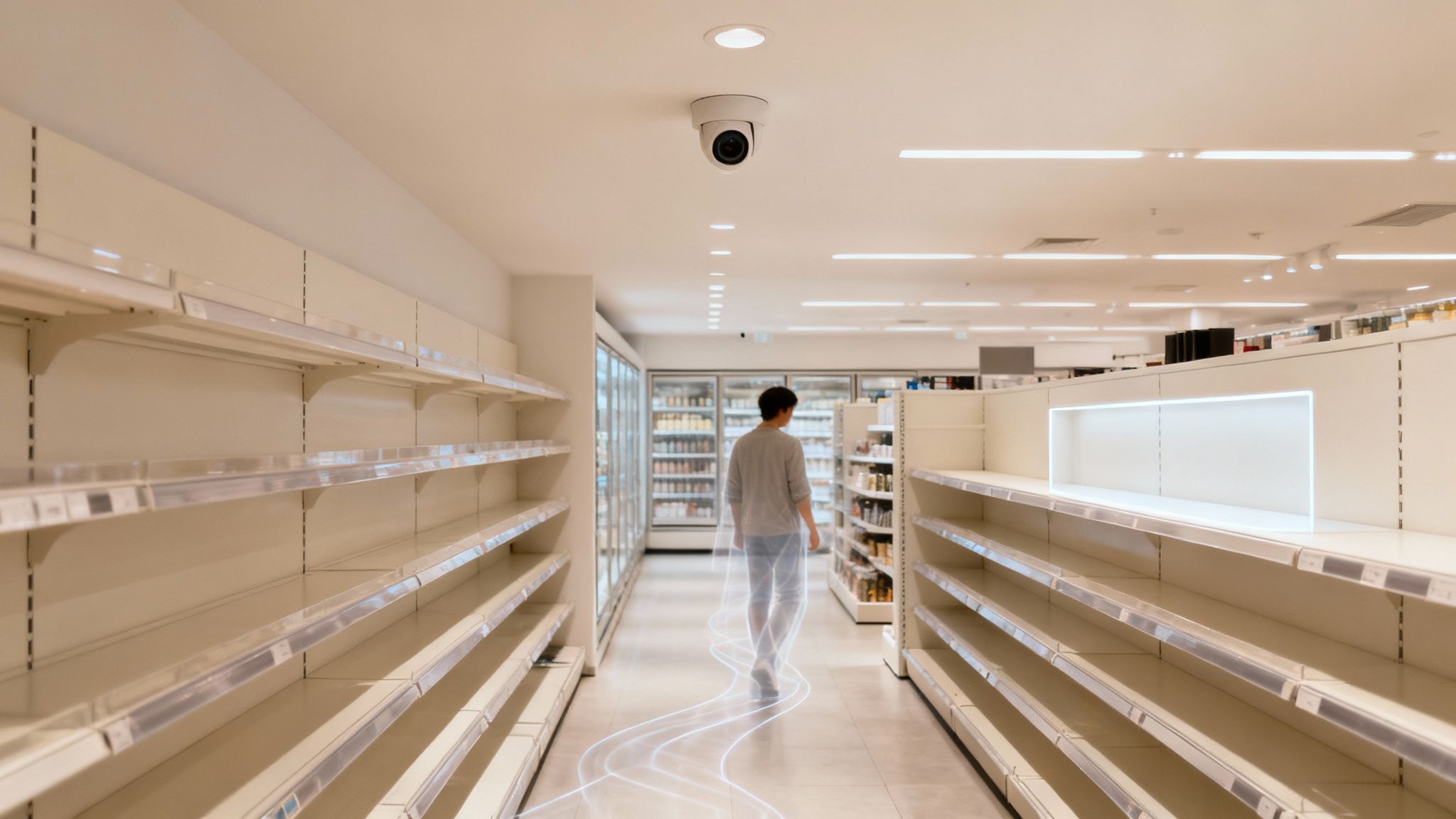
For decades, store cameras were passive observers, really only useful for security playback after an incident. Computer vision flips that script, turning them into active, intelligent participants in day-to-day store operations.
By layering sophisticated algorithms onto camera feeds, these systems can perform tasks that once required constant human attention, but with far greater speed and unwavering accuracy. This shift is a game-changer for any modern retailer looking for an edge. It unlocks a much deeper understanding of the in-store experience, shining a light on friction points and opportunities that were previously invisible. The technology is not just about watching; it is about understanding and acting.
The Core Capabilities
At its heart, retail computer vision gives store managers and corporate strategists three fundamental superpowers. These systems are built to deliver tangible results, from optimizing layouts to making your staff more effective.
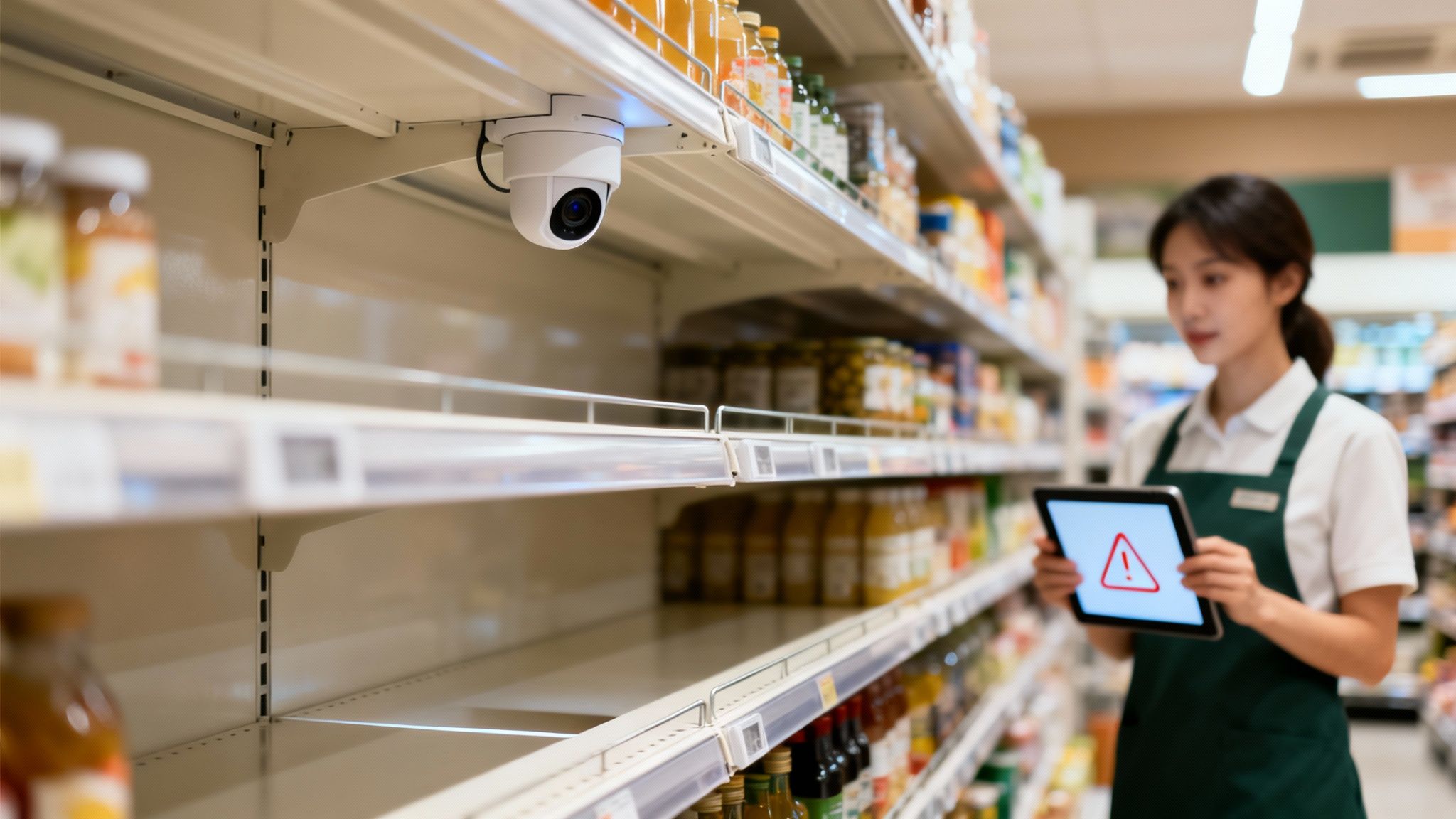
- Real-Time Monitoring: Is a popular item out of stock? The system can spot an empty shelf the moment it happens and instantly alert staff to restock, preventing lost sales.
- Behavioral Analytics: By generating heat maps and analyzing foot traffic, you can see exactly which displays pull customers in and which aisles are ghost towns. This is merchandising, but smarter.
- Process Automation: Tedious tasks like counting customers, monitoring queue lengths at checkout, and ensuring displays match the planogram are all automated. This frees up your employees to focus on what they do best: helping customers.
This technology is rapidly becoming an indispensable tool for growth. The global retail computer vision market was valued at USD 1,997.3 million in 2024 and is projected to hit USD 6,746.0 million by 2030, growing at a blistering CAGR of 22.6%. This explosive adoption proves its real-world effectiveness in boosting efficiency and crafting better shopping experiences. You can discover more about this market growth and what is driving it.
By converting existing camera infrastructure into intelligent data sources, retailers can unlock operational efficiencies and customer insights that were previously unattainable in a physical environment. This transforms a cost center (security) into a value-generating asset.
This proactive approach is what makes computer vision so powerful. It allows retailers to anticipate needs, solve problems before they ever impact a customer, and continuously refine their operations based on what is actually happening on the ground. The result is a more responsive, efficient, and profitable retail environment.
Unlocking Value with Key Computer Vision Applications
Beyond the core concept, retail computer vision really shines when you apply it to solve tangible, everyday business problems. Think of it as a silent, ever-vigilant partner, turning your store's physical space into a responsive and efficient sales engine. These are not just fancy monitoring tools; they deliver proactive, data-driven insights that directly boost your revenue and keep customers happy.
The technology is already making a huge impact. North America currently leads the computer vision AI retail market, holding 36% of global revenue in 2024. Supermarkets using it for behavior analytics have seen sales increases of 10% to 15% by personalizing the in-store experience.
To show you exactly how this works, let us break down some of the most common applications and the measurable business outcomes they deliver.
Computer Vision Applications and Their Business Impact
| Application Area | Core Functionality | Primary Business Value |
|---|---|---|
| Inventory Management | Detects out-of-stocks, low stock, and planogram non-compliance in real-time. | Recaptures lost sales, improves on-shelf availability, and reduces manual labor costs. |
| Customer Journey Analytics | Generates heat maps and pathing data to show how shoppers move through the store. | Optimizes store layout, boosts product discovery, and increases basket size. |
| Queue Management | Monitors checkout lines and predicts wait times, alerting staff to open new registers. | Improves customer satisfaction, reduces walk-outs, and streamlines the checkout process. |
| Loss Prevention | Identifies suspicious behaviors like non-scans at self-checkout or unusual dwell times. | Reduces shrinkage from theft, improves store safety, and minimizes false positives. |
These applications move retail from a reactive to a proactive operational model, using data to fix problems before they can impact the bottom line.
Automated Shelf Monitoring and Inventory Intelligence
One of the quickest wins with computer vision is tackling on-shelf availability. Empty shelves are silent sales killers. Manual checks are slow and notoriously inaccurate. Computer vision is the powerful alternative.
Using cameras aimed at the aisles, these systems constantly scan shelves for out-of-stock items, low inventory, and even misplaced products. The moment a popular item’s facings drop below a set threshold, the system shoots an instant alert to a store associate’s handheld device, showing them exactly what is needed and where.
This means popular items are always there for shoppers, preventing lost sales and building loyalty. It also confirms that your planograms and promotional displays are set up correctly to get the maximum impact. The magic behind this is sophisticated AI that can distinguish between thousands of unique product SKUs, often using techniques like semantic image segmentation to understand shelf layouts with pixel-perfect accuracy.
Optimizing the In-Store Customer Journey
How do shoppers really move through your store? Where do they linger, and what aisles do they skip entirely? For years, answering these questions was mostly guesswork. Now, computer vision gives you definitive, data-backed answers.
By analyzing video feeds, the technology generates anonymous heat maps and pathing analytics that reveal the true customer journey. This is invaluable intelligence for merchandising and store layout decisions.
- Heat Maps: These visual reports show you the high-traffic "hot zones" and the underperforming "cold spots." You can use this to place high-margin items where they will get the most eyes or redesign the flow to guide shoppers toward neglected sections.
- Dwell Time Analysis: The system measures how long customers spend looking at specific displays. If that big new promotional endcap has low dwell time, it is a clear signal that something about the message or product choice is not working.
- Queue Management: Computer vision is also brilliant at monitoring checkout lines. By tracking queue length and wait times, it can predict a bottleneck and alert a manager to open another register before customers start getting frustrated.
By transforming anonymous shopper movement into structured data, retailers can finally optimize the physical store with the same analytical rigor used in e-commerce, directly linking store design to sales performance.
Enhancing Loss Prevention and Security
Shrinkage from theft and fraud is a massive headache for brick-and-mortar retail. Computer vision offers a much smarter, more proactive approach to loss prevention than just watching camera feeds. AI-powered systems can spot suspicious behaviors in real time, no human monitoring required.
For instance, the system can flag unusual activity at self-checkout, like when an item is bagged but never scanned. It can identify patterns associated with organized retail crime or alert you when someone lingers in a high-theft area for an unusual amount of time.
When it detects something, a discreet alert goes to security, allowing for a quick, targeted intervention. This approach not only helps cut losses but also creates a safer environment for everyone in the store.
The Hidden Engine Powering Smart Retail AI
A retail computer vision system is only as smart as the data it is trained on. While the cameras and fancy software get all the attention, the real workhorse is the painstaking, behind-the-scenes process of high-accuracy data annotation. This is the hidden engine that teaches an AI model to actually see and understand the world, turning raw pixels into reliable business intelligence.
Without this foundational step, an AI is basically blind. It cannot tell the difference between two competing cereal brands, recognize the subtle actions of a would-be shoplifter, or distinguish a customer from a store employee. The old saying ‘garbage in, garbage out’ is an absolute law in AI; a model trained on poorly labeled data will only spit out costly and embarrassing errors in the real world.
Teaching Machines to See with Data Annotation
So, what is data annotation? It is the process of manually labeling visual data (images and videos) to teach a machine learning model what specific objects, patterns, or actions look like. Think of it like creating a highly detailed study guide for your AI. Just as you would use flashcards to teach a child what a "cat" is by showing them dozens of labeled pictures, annotators do the same for algorithms, but on a massive scale and with incredible precision.
This process transforms a chaotic mess of visual information into structured data that an AI can actually learn from. For a retailer, this means teaching a model to identify thousands of unique product SKUs, human poses, and specific in-store events.
Core Annotation Techniques in Retail
The methods you use to label data depend entirely on the problem you are trying to solve. Different goals require different levels of detail, from simply spotting an object to tracking complex events over time.
Here are a few of the most common techniques you will see in retail:
- Bounding Boxes: This is the bread and butter of annotation. Annotators draw a tight rectangle around an object of interest, like a product on a shelf, a person, or a shopping cart. It answers the basic question: "What is this thing, and where is it?"
- Video Annotation: To analyze actions over time, like tracking a customer's path through the store or spotting a non-scan at checkout, annotators have to label objects and behaviors across hundreds or thousands of video frames. This is crucial for building queue management and loss prevention models.
- Polygon Annotation: Sometimes, a simple box just will not cut it. When objects have irregular shapes, like a puddle from a spill or a specific piece of clothing, annotators use polygons to trace the exact outline. This gives the model a much more precise understanding of an object's true shape and size.
These techniques are the building blocks for any effective model.
In retail computer vision, accuracy is not a goal; it is the bare minimum. A model that is 95% accurate might sound impressive, but in a store with 10,000 products, that still leaves 500 potential errors. Hitting 99%+ accuracy at the annotation stage is non-negotiable for dependable, real-world performance.
This is exactly why trying to handle annotation with untrained teams or cheap tools almost always ends in failure. Achieving that level of precision requires a dedicated team of trained analysts, multi-layered quality assurance (QA) protocols, and tight project management. Partnering with a specialized data services provider ensures your AI is built on a rock-solid foundation, allowing it to finally deliver on its promise to transform your store operations.
Your Roadmap to a Successful Implementation
Rolling out a computer vision initiative in your stores might feel like a huge undertaking, but it breaks down into a clear, manageable path. Think of it less as a single leap and more as a series of deliberate steps. This guide will walk you through turning a powerful concept into a pilot project that actually generates value.
Success here starts with a sharp focus, not a sprawling, undefined wish list.
Phase 1: Define the Business Problem
This is the most critical step. Get it right, and everything else falls into place. A vague goal like “improve store operations” is a surefire way to get lost. You need to get specific.
Are you trying to slash out-of-stocks on your top 50 SKUs? Is the real goal to cut checkout wait times by 30% during peak hours? A concrete, measurable objective dictates every decision that follows, from the cameras you need to the data you collect. This focus keeps the project grounded in real business value and makes it much easier to prove success later on.
The diagram below shows the core data engine that powers any retail computer vision model. It is a journey from raw video footage to actionable intelligence.
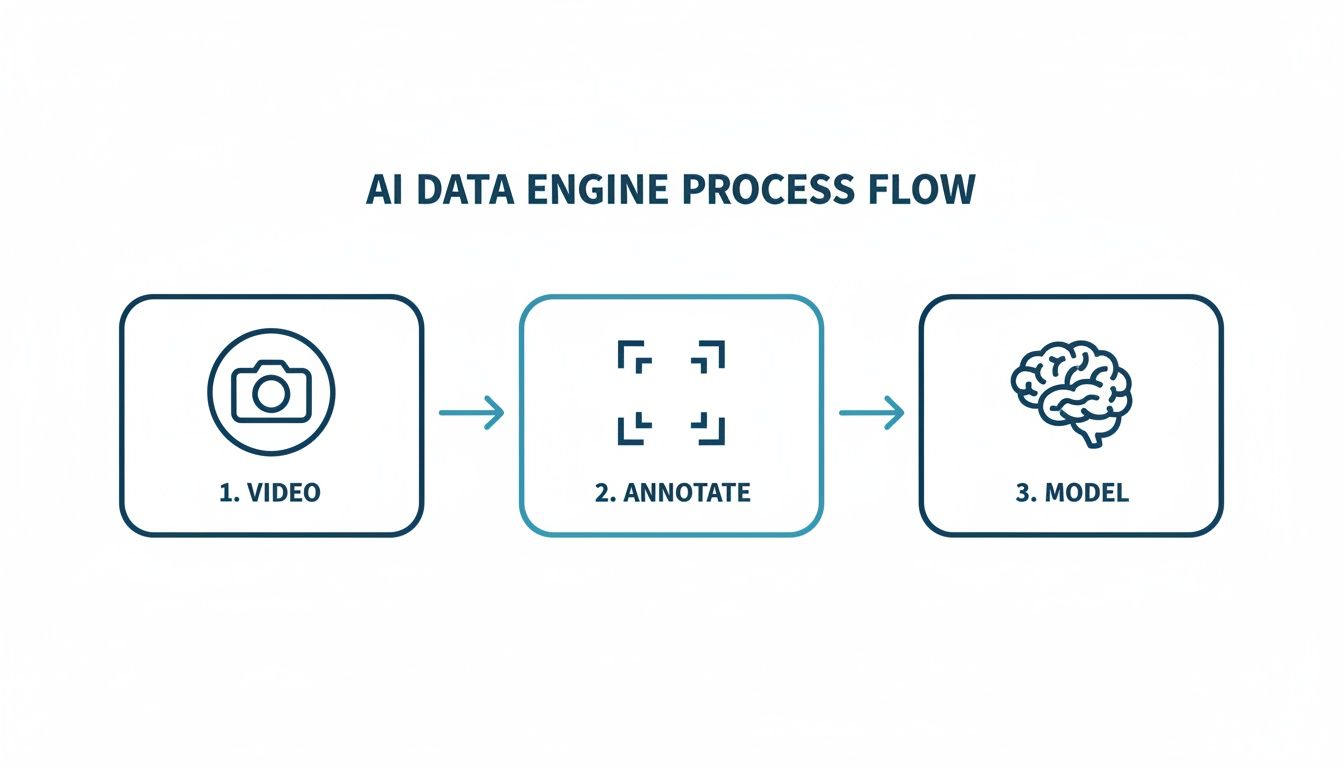
As you can see, high-quality video is just the start. That footage is meticulously annotated before it is ever used to train a sophisticated AI model, forming the foundation of any reliable system.
Phase 2: Data Collection and Preparation
With a clear goal in hand, you can start gathering the visual data needed to teach your AI model. This means capturing high-quality video or images that truly represent the real-world scenarios your system will see day in and day out. For a shelf-monitoring project, you will need footage of shelves that are full, half-empty, and totally bare, all under different lighting conditions.
But raw data is useless on its own. It needs to be annotated, and this is where a skilled partner becomes essential. Expert annotators painstakingly label every object, action, and event that matters to your goal. For a loss prevention model, they would tag behaviors like "item concealed" or "basket-to-bag without scan." The precision of this data tagging directly determines how accurate and reliable your model will be in the real world.
Phase 3: Model Development and Refinement
This is where the machine learning magic happens. Using your meticulously annotated dataset, data scientists train an AI model to recognize the specific objects, patterns, and behaviors you defined back in phase one. This is not a one-and-done task; it is an iterative process of teach, test, and repeat.
The initial model gets tested against a separate set of validation data to see how well it performs. Based on those results, the team will fine-tune its parameters. Sometimes, you might even need to go back and collect more data to address specific weaknesses, like teaching the model to identify new product packaging.
A successful model is never truly "finished." It must be continuously refined and retrained with new data to adapt to changing store layouts, new products, and evolving customer behaviors. This commitment to ongoing improvement is key to long-term success.
Phase 4: Integration and Deployment
Once your model hits the accuracy benchmark you need, it is time to plug it into your existing store systems. This step requires careful planning. A shelf-monitoring system, for instance, needs to talk to your inventory management software and push alerts directly to employee handhelds.
The best way to start is with a pilot deployment in a handful of stores. This controlled rollout lets you:
- Test the tech in a live environment without disrupting the entire chain.
- Gather feedback from the store associates who will use it every day.
- Iron out any technical glitches or integration issues on a small scale.
- Measure the initial impact against the KPIs you set from the very beginning.
To help guide this crucial stage, we have put together a simple checklist. Following these steps can help ensure your pilot project is set up for success from day one.
Retail Computer Vision Implementation Checklist
| Phase | Key Action Items | Success Metric |
|---|---|---|
| 1. Discovery & Planning | Define a single, measurable business problem. Identify key stakeholders. | Clearly defined KPIs (e.g., "Reduce stockouts by 15%"). |
| 2. Vendor Selection | Evaluate partners based on accuracy, security, and retail experience. | Partner meets >99% accuracy benchmarks and compliance needs. |
| 3. Pilot Site Selection | Choose 3-5 stores with representative layouts and traffic patterns. | Pilot stores reflect diverse operational environments. |
| 4. Data Collection Setup | Install and calibrate cameras. Establish secure data transfer protocols. | High-resolution video captured consistently from target areas. |
| 5. Annotation & Training | Annotate initial dataset. Train the first version of the AI model. | Model achieves target accuracy on a validation dataset. |
| 6. System Integration | Connect the AI model to inventory/POS systems and employee alerts. | Real-time alerts are successfully triggered and received. |
| 7. Team Training | Train store managers and associates on the new system and workflows. | Staff can confidently use the system and respond to alerts. |
| 8. Pilot Go-Live | Launch the system in selected stores. Monitor performance closely. | System operates stably for a minimum of 30 days. |
| 9. KPI Measurement | Track performance against the initial business problem for 60-90 days. | Pilot meets or exceeds the predefined success metric. |
| 10. Review & Scale Plan | Analyze pilot results, gather feedback, and build a business case for rollout. | A data-backed plan for scaling the solution is approved. |
This checklist provides a structured framework, but remember to adapt it to your specific goals and environment. A well-executed pilot is the strongest foundation for a full-scale deployment.
Phase 5: Monitor, Measure, and Scale
After a successful pilot, the final step is to build a plan for scaling the solution across more locations. This involves keeping a close eye on the system's performance and measuring its impact on your key business metrics. Are you seeing that expected drop in stockouts? Have customer satisfaction scores tied to checkout speed actually improved?
This hard, data-driven evidence is what proves the project's ROI and builds a bulletproof business case for a wider rollout. It also provides valuable insights for future enhancements, ensuring your retail computer vision system evolves with your business and continues to deliver measurable value for years to come.
Measuring Success and Proving Your ROI
An investment in retail computer vision is only as good as the results it delivers on the ground. To justify the project and get the green light for future rollouts, you have to connect the technology directly to clear financial and operational wins. This means ditching the tech jargon and focusing on the Key Performance Indicators (KPIs) that actually move the needle for your business.
A data-driven approach is what separates a cool technology project from a proven business strategy. It provides the hard evidence needed to show real value, turning gut feelings about improvements into a measurable and compelling return on investment (ROI). Without that proof, even the most sophisticated system is just another line item on the expense report.
Identifying Your Core Business KPIs
First things first: you need to pick the right metrics. Your KPIs should be directly tied to the specific business problem you set out to solve in the first place. A system designed to catch shoplifters will be measured very differently from one built to figure out the best store layout.
Here are a few practical examples of KPIs for common retail computer vision applications:
- For Inventory Management: The biggest enemy is the empty shelf. The go-to metric here is On-Shelf Availability (OSA), measured as a percentage. A successful system should deliver a quantifiable lift in OSA for your fastest-moving products, which directly translates to preventing lost sales.
- For Queue Management: The goal is a smoother checkout experience. You can measure success by tracking a reduction in Average Customer Wait Time and, just as importantly, a decrease in Cart Abandonment Rates at the front of the store.
- For Customer Journey Analytics: When you are trying to optimize a store layout, you want to see more customer engagement. Key metrics include Dwell Time in promotional zones and an increase in Sales Conversion Rates for specific product categories after a layout change.
- For Loss Prevention: It does not get more direct than this. The core metric is a reduction in your Inventory Shrinkage Rate, calculated as a percentage of sales. Seeing that number go down provides a clear financial win.
Calculating the Return on Investment
Once you are tracking the right KPIs, building a business case for ROI is pretty straightforward. You are essentially weighing the quantifiable gains from the system against its total cost of ownership, which includes the hardware, software, and any ongoing support.
Let us walk through a simple, real-world example for a grocery chain that is tired of out-of-stocks.
Imagine a grocery store realizes its top 20 best-selling items are out of stock about 10% of the time. This problem is costing them an estimated $5,000 in lost sales every single week. They decide to deploy a computer vision system that sends real-time alerts to restock empty shelves.
After a 90-day pilot, the numbers are in. The system cut stockouts for those key items down to just 2%. That small change prevented $4,000 in lost sales each week. Annually, this one application is recovering over $200,000 in revenue for just that one store. When you stack that number up against the system's annual cost, the ROI becomes impossible to ignore.
This is the kind of specific, data-backed analysis that shifts the conversation from technology to business growth. It proves your investment is not just paying for itself; it is actively making your entire operation more efficient and profitable. By focusing on measurable outcomes, you build a powerful case for scaling successful retail computer vision solutions across your entire organization.
Navigating Common Challenges and Pitfalls
Any retail computer vision project promises big rewards, but getting there means knowing what roadblocks to expect. The path to a successful rollout is paved with careful planning, and understanding these common challenges upfront will save you from costly delays and headaches down the line.
One of the first places projects stumble is in underestimating just how critical data quality is. An AI model is only as smart as the data it is trained on. If the annotations are sloppy or inconsistent, you will end up with an unreliable system that misidentifies products or misses key events, making it useless in a real-world store.
Overcoming Data and Model Hurdles
The old saying ‘garbage in, garbage out’ has never been more true than in AI. Too many projects fail because they do not start with a rock-solid foundation of accurately labeled data. This usually happens when companies try to cut corners with untrained in-house teams or cheap tools that cannot hit the 99%+ accuracy needed for a system you can actually depend on.
The best way to sidestep this is to partner with a specialist in data annotation. A dedicated team brings rigorous, multi-layered quality assurance to the table, making sure your model learns from a dataset that is clean, consistent, and precise. Think of it as an investment; getting it right the first time prevents poor performance and expensive retraining later on.
Addressing Privacy and Integration Complexities
Beyond the data itself, customer privacy is completely non-negotiable. Using cameras in stores demands total transparency and a firm commitment to handling data ethically. The smartest approach is to use systems that anonymize data right at the source, focusing on big-picture trends like foot traffic heat maps instead of tracking individuals. This builds customer trust and keeps you compliant with rules like GDPR.
A successful retail computer vision strategy is built on a foundation of trust. By prioritizing data anonymization and being transparent with customers about how technology is used to improve their experience, retailers can avoid backlash and build stronger relationships.
Another major hurdle is getting the new tech to play nicely with your existing systems. Your computer vision solution cannot operate in a silo. It needs to communicate smoothly with your inventory management, POS, and staff communication platforms. Without proper integration planning, you will create data bottlenecks that choke the system’s value. It is essential to bring your IT stakeholders in early to map out API connections for a cohesive deployment.
Finally, a failure to plan for scale can turn a successful pilot into a dead end. A system that runs perfectly in five stores might collapse under the data load of five hundred. You have to design the architecture for future growth, from data storage to processing power, to ensure your solution can expand with your business and deliver consistent value across your entire network.
Got Questions About Retail Computer Vision? We Have Answers.
Even with a clear plan, diving into new technology always brings up questions. Here are straightforward answers to some of the most common things we hear from business and tech leaders about computer vision in retail.
How Much Data Do I Actually Need to Train a Model?
There is no magic number; it all comes down to what you are trying to accomplish. A simple model that just detects a specific product on a shelf might get started with a few thousand well-annotated images. But a sophisticated system designed to spot subtle theft behaviors? That could require hundreds of hours of video footage.
The real focus should always be on quality over quantity. Kicking off a project with an exceptionally accurate dataset means you will get better performance, faster, often with less data than you might expect. The best way to nail down your specific data needs is to run a focused pilot project.
What About Customer Privacy?
Privacy is not just a feature; it is the foundation of any ethical system. Best practices are clear: deploy systems that do not store any personally identifiable information (PII). Instead, the technology should generate anonymous, aggregated data. Think foot traffic heat maps or general demographic estimations, never insights that could identify a specific shopper.
Transparency is non-negotiable. Clear in-store signage and strict compliance with regulations like GDPR are essential for building trust. The goal is to improve the shopping experience for everyone, not to conduct individual surveillance.
Can This Technology Plug Into My Existing Systems?
Absolutely; in fact, it has to. The real value of retail computer vision is unlocked when it talks to your other business software. Modern solutions are built with APIs that make this seamless. For instance, a shelf monitoring system can send an automatic alert straight to your inventory management platform the moment it detects low stock.
Similarly, a frictionless checkout system is useless if it cannot connect flawlessly with your point-of-sale (POS) and payment gateways. Planning for these integrations from day one is critical for a smooth rollout and a successful project.
At Prudent Partners, we specialize in delivering the high-accuracy data annotation and AI quality assurance needed to build reliable and scalable computer vision solutions. Let's talk about your project and how we can help you turn your visual data into a powerful business asset.
Contact Prudent Partners to build your custom data solution
Retail AI Runs on Annotated Training Data
Every retail computer vision model deployed for product attribute extraction, visual search, planogram compliance, or on-shelf availability detection trains on labeled imagery. Prudent Partners works with US retail and e-commerce teams on image annotation and product matching workloads at production scale. To explore an engagement, get in touch through the contact page.