
Imagine a world where every invoice, contract, or patient record in your company could instantly communicate with your software. That is the promise of software optical character recognition (OCR). It acts as a digital translator, reading text from images or scans and converting it into data you can actually use: searchable, editable, and ready for action.
Making Your Documents Work for You with OCR
At its heart, software optical character recognition bridges the gap between your physical paperwork and your digital systems. Think of it as a digital eye that scans paper documents, PDFs, or even photos and intelligently converts the words into machine-readable text. It is the key that unlocks all the valuable information trapped on paper.
This is no longer just a neat trick; it is a cornerstone of modern business. Without it, companies are stuck with slow, error-prone manual data entry, a recipe for operational bottlenecks and inflated costs. By automating how you extract text from documents, OCR paves the way for measurable, impactful operational change.
Why Every Business Needs OCR
The benefits go far beyond just eliminating paper. OCR fundamentally transforms how your organization handles information. It is essential for any company serious about improving efficiency, accuracy, and scalability.
Here are a few of the immediate wins:
- Faster Workflows: Tasks that used to take hours of manual typing, like processing invoices or onboarding new clients, can be completed in seconds. For example, a financial services firm can reduce new account opening times from days to minutes by instantly digitizing application forms.
- Better Data Accuracy: Automation eliminates the typos and human errors common in manual data entry, providing you with more reliable data across all business functions. This translates to fewer billing disputes and more accurate reporting.
- Easier Scalability: OCR allows you to handle significant fluctuations in document volume without hiring additional staff. Your business can grow without your overheads exploding, ensuring a scalable operational model.
- Smarter Business Insights: Once your data is digital and centralized, you can analyze it to spot trends, track performance, and make decisions based on facts, not guesswork. A retail company could analyze thousands of digitized customer feedback forms to quickly identify product improvement opportunities.
When you use OCR to turn unstructured text into structured data, your documents stop being passive files and become active assets in your business strategy.
This technology is the engine behind strategic goals like business process automation and advanced data analytics. A logistics firm, for instance, can use OCR to automatically extract shipping details from bills of lading and feed them directly into its tracking systems, providing real-time visibility. A bank can digitize loan applications instantly, reducing approval times and enhancing the customer experience. By unlocking this data, software optical character recognition becomes the fuel for smarter, faster, and leaner operations.
How Modern OCR Technology Actually Works
To truly appreciate what today’s software optical character recognition can do, you have to look under the hood. The first OCR tools were clunky and rigid, almost like a digital stencil trying to match letter shapes pixel for pixel. It worked, but only on perfectly clean, typed documents. Anything else, such as blurry text, varied fonts, or messy handwriting, would cause the system to fail.
Modern OCR is in a completely different league. It does not just see pixels; it learns to recognize patterns and context, much like a human does. That massive leap forward is thanks to artificial intelligence, especially deep learning models that help OCR systems achieve incredible accuracy levels on documents that would have been impossible to read just a decade ago.
The Brains Behind the Operation: AI and Deep Learning
At the heart of any advanced OCR system, you will find sophisticated neural networks. These are complex algorithms, modeled after the human brain, that allow the software to learn from vast amounts of data. Instead of being explicitly programmed on what an “A” looks like, the system is trained on millions of examples of text in different fonts, styles, and conditions.
Two types of neural networks are doing the heavy lifting here:
- Convolutional Neural Networks (CNNs): You can think of CNNs as the system’s “eyes.” They are fantastic at image analysis, breaking down a picture into smaller features like curves, edges, and corners. A CNN can spot the visual patterns that make up each letter, even if it is distorted or partially obscured.
- Recurrent Neural Networks (RNNs): Once the CNN identifies the characters, the RNN acts as the system’s “brain” for understanding context. It processes text sequentially, remembering what came before to predict what comes next. This is absolutely critical for distinguishing between similar characters (like an “O” and a “0”) or deciphering words that are smudged or incomplete.
Working together, these models give OCR software the ability to read with contextual awareness, turning a messy, low-quality image into clean, structured data you can actually use.
From Paper to Actionable Data: The OCR Pipeline
Turning a stack of paper into useful digital information is not a single step; it is a carefully managed process. A well-designed OCR pipeline cleans, identifies, and extracts text methodically to ensure the highest possible accuracy.
The graphic below shows how software optical character recognition serves as the essential bridge between physical documents and digital data streams.
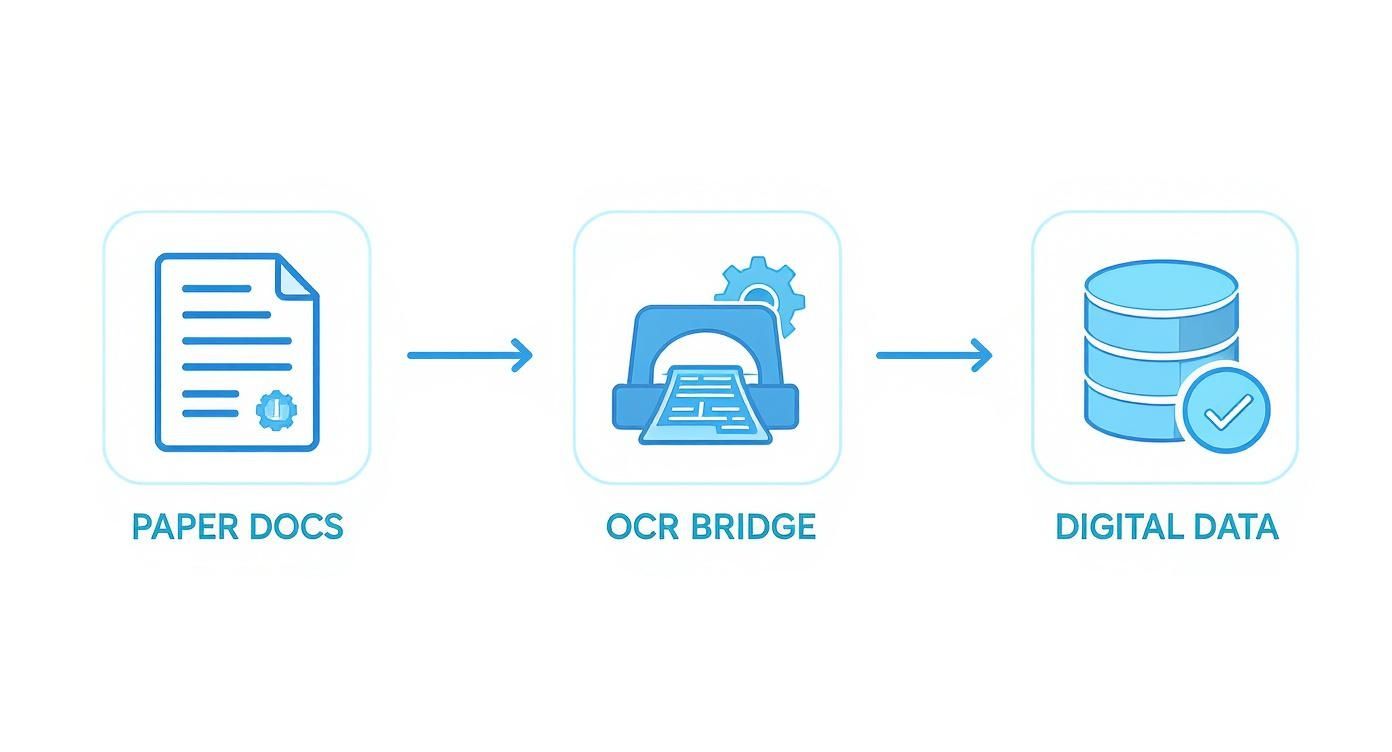
This process visualizes a clear transformation, where the OCR software takes in raw physical material and produces structured, usable information ready for your business systems.
Let’s walk through the key stages in this pipeline:
- Image Preprocessing: First, you have to clean up the scanned image. This is where automated tasks take over, like deskewing (straightening a crooked page), removing background noise or “salt-and-pepper” specks, and converting the image to black and white (binarization) to make the text stand out.
- Layout Analysis: Next, the software maps out the document’s structure. It identifies different zones, like paragraphs, columns, tables, and images. This prevents the system from reading across columns on a newspaper page and jumbling the text together.
- Text Detection and Recognition: This is where the CNNs and RNNs get to work. The system first finds where the text is located on the page. Then, it proceeds character by character, word by word, to recognize and transcribe it.
- Post-processing and Validation: Finally, the extracted text gets a final polish. This stage uses language modeling and dictionary checks to fix common OCR mistakes (like changing “rn” to “m”). For high-stakes applications, this is where a human-in-the-loop process, which Prudent Partners specializes in, steps in for final validation to guarantee 99%+ accuracy.
A successful OCR implementation is not just about the recognition algorithm; it is about the strength and precision of the entire pipeline, from the initial scan to the final, validated output.
Each step builds on the last, working together to produce a final result that businesses can trust for their most important operations. If you compromise on any one of these stages, you risk introducing errors that undermine the entire purpose of automation.
Where OCR Gets Real: Applications Across Industries
The technology behind software optical character recognition is impressive, but its real power comes alive when it solves actual business problems. Across nearly every industry, companies are using OCR to automate repetitive tasks, slash costly errors, and achieve new levels of efficiency. From accelerating patient care to streamlining global supply chains, OCR is the engine driving real-world results.
The market numbers tell the same story. The global OCR software market was estimated at USD 12.25 billion in 2024 and is expected to jump to USD 14.36 billion by 2025. This is not just hype; it is driven by a genuine business need for digitization. The software segment alone is projected to reach USD 33.655 billion by 2032, demonstrating how essential this technology has become.

Whether it is a patient form, an invoice, or a shipping label, these documents are packed with critical data. Once OCR extracts that data, it can initiate a chain of automated actions, fundamentally changing how work gets done.
Transforming Healthcare Administration
In healthcare, speed and accuracy are not just about efficiency; they can directly impact patient outcomes. Hospitals are often overwhelmed with paperwork, from patient intake forms and lab results to doctors’ notes and insurance claims. Managing this manually is slow, error-prone, and creates bottlenecks in both treatment and billing.
Software optical character recognition cuts right through that clutter. When a patient’s file is scanned, OCR can extract key details like their name, date of birth, medical history, and insurance information in seconds. That structured data is then fed directly into the Electronic Health Record (EHR) system, making it instantly accessible to medical staff.
The impact is immediate and measurable:
- Shorter Patient Wait Times: Data entry happens in a flash, so staff can access medical histories faster and spend less time on paperwork during check-in.
- Fewer Billing Headaches: Automating data extraction from insurance cards and superbills means fewer rejected claims and faster reimbursement cycles.
- Better-Informed Decisions: Clinicians can search digital records instantly, helping them make smarter, quicker decisions with complete patient information at their fingertips.
Streamlining Finance and Accounting
Finance departments are another area where manual data entry causes significant operational drag. Accounts payable teams can spend entire days just typing numbers from invoices, purchase orders, and receipts into accounting software. It is not just tedious work; it is a recipe for payment delays, missed discounts, and costly mistakes.
OCR completely transforms that workflow. An automated system can capture an invoice from an email, use OCR to identify and extract the vendor name, invoice number, due date, and line items, and then validate it against the original purchase order.
By turning accounts payable from a manual data-entry chore into an automated, exception-handling process, OCR allows finance experts to focus on strategic analysis instead of clerical work.
This automation directly improves the bottom line by preventing late fees and enabling companies to capitalize on early payment discounts, turning a cost center into a value driver.
Optimizing Logistics and Supply Chain
The logistics industry operates on a massive volume of documents: bills of lading, shipping labels, and customs forms. The accuracy of the data on these papers is what keeps goods moving seamlessly. A single incorrect digit in a container number can bring a shipment to a grinding halt.
Software optical character recognition is used to capture data from these documents at every stage. A warehouse worker can snap a picture of a shipping label with a handheld device, and OCR instantly extracts the tracking number and address, updating the inventory system in real-time. This provides end-to-end visibility and reduces shipping errors.
For more complex tasks, OCR is often paired with other AI technologies. For instance, you can learn more about how named entity recognition can be used to pinpoint and classify key details like addresses and product names from the text OCR has already extracted. This gives companies a level of visibility and control over their supply chain that was impossible just a few years ago.
Achieving High Accuracy in Your OCR Projects
Implementing software optical character recognition is one thing; trusting its output is another. For mission-critical tasks like processing invoices or patient records, an OCR system is only as good as its accuracy, and “mostly right” is not good enough. Success hinges on having clear, objective methods to measure, verify, and continuously improve the quality of your extracted data.
Simply running a document through an OCR engine and hoping for the best is a recipe for failure. Instead, you need objective metrics to benchmark performance and pinpoint exactly where your data pipeline may be failing.
Measuring OCR System Performance
To get a real sense of your OCR system’s reliability, you need to move beyond a simple pass/fail judgment. Two fundamental metrics provide a clear, quantitative view of performance, helping you understand precisely where errors are occurring.
These key performance indicators are:
- Character Error Rate (CER): This metric gets down to the granular level, measuring accuracy at the character level. It calculates the percentage of characters that were incorrectly substituted, deleted, or inserted compared to the ground truth. A low CER is non-negotiable for extracting specific data points like serial numbers or ID codes, where a single incorrect character changes everything.
- Word Error Rate (WER): Moving up a level, WER measures the percentage of incorrect words. This is often more insightful for understanding the readability and contextual accuracy of longer blocks of text. It gives you a much better feel for how a human would perceive the quality of the transcription.
Tracking both CER and WER provides a solid baseline to understand your system’s starting point and a benchmark for measuring improvements over time.
The Human Element in AI Quality Assurance
While metrics like CER and WER are essential, they do not tell the whole story. Off-the-shelf software optical character recognition tools often struggle with unique document layouts, industry-specific jargon, or low-quality source images. This is where the human-in-the-loop (HITL) process becomes indispensable for quality assurance.
Achieving 99%+ accuracy almost always requires human validation. A human annotator can spot contextual errors that automated checks would miss, like misinterpreting a faded “8” as a “3” on a receipt or incorrectly reading a cursive signature. This expert oversight acts as the ultimate quality gate, ensuring the data you feed into your core business systems is completely trustworthy.
An AI model is only as smart as the data it’s trained on. High-quality, accurately labeled data is the single most important factor in building a robust and reliable custom OCR solution.
For businesses dealing with specialized documents, relying on generic, pre-trained OCR models is often insufficient. The key to unlocking superior performance is training a custom model on your specific document types. This requires a meticulously labeled dataset where humans have correctly identified and transcribed every piece of relevant text.
This is exactly where expert text annotation services come into play, providing the clean, structured, and highly accurate ground truth data needed to train a model that truly understands the nuances of your unique documents.
Building a Foundation of Trustworthy Data
The quality of your training data directly dictates the performance of your custom OCR model. A poorly annotated dataset filled with inconsistencies and errors will only teach your AI to make the same mistakes, leading to unreliable results and costly rework down the line.
At Prudent Partners, our approach to AI quality assurance and data annotation is focused on creating this foundation of trust. Our trained analysts follow strict guidelines and multi-layer quality checks to produce datasets that are not only accurate but also consistent. This ensures your software optical character recognition model learns from the best possible examples, empowering it to deliver dependable results for your most critical operations.
Integrating OCR into Your Business Workflow
Bringing software optical character recognition into your operations involves more than just purchasing a new tool. It requires carefully weaving that technology into the fabric of your existing business processes. A successful rollout depends on choosing the right architecture and building a smart data pipeline that turns raw documents into clean, validated information your core systems can use.
The first major decision you will face is whether to use a cloud service or an on-premise solution. Each has its own set of trade-offs, and the right choice depends on your specific needs regarding security, scale, and control.
Choosing Your Deployment Model
Cloud-based OCR, often delivered as an API from major providers like Google Vision AI or Amazon Textract, is all about speed and simplicity. You can get started almost instantly with little to no upfront hardware costs, and these platforms are designed to handle huge volumes of documents without performance issues. The trade-off is that you are sending your data, which may be sensitive, to a third-party server.
On-premise solutions are the opposite. They give you complete control over your data and the entire process. Everything happens within your own network, which is a critical requirement for industries with strict data privacy regulations, like healthcare or finance. While this model provides maximum security and customization, it also requires a larger investment in servers and the in-house expertise to manage it.
The right deployment model balances cost, control, and compliance. A cloud API is great for rapid prototyping and non-sensitive documents, while an on-premise solution is the gold standard for handling confidential information at scale.
Making the right decision here is the first step toward building an OCR workflow that works for your business, not against it.
Mapping the OCR Data Pipeline
Once you have settled on a deployment model, the next step is to map out the entire journey a document takes, from the moment it enters your system to its final destination. A well-designed pipeline ensures information flows smoothly and accurately, preventing bottlenecks and maintaining data integrity.
This pipeline almost always follows these logical steps:
- Ingestion: This is where it all begins. Documents enter your system from various sources, such as email attachments, physical mail scans, or files uploaded to a customer portal.
- Processing and Extraction: The document is then sent to the OCR engine. Here, the software optical character recognition performs its function, identifying and extracting the text you need based on predefined rules.
- Validation and Enrichment: Raw extracted data is never perfect. This is a critical checkpoint where automated rules and, for important workflows, a human reviewer step in to catch and fix errors. It is here that many companies find that specialized data entry outsourcing services can significantly boost accuracy and efficiency without increasing internal headcount.
- Integration: Finally, the clean, validated data is pushed into the systems that run your business. Invoice details might flow into your ERP, customer information could update your CRM, or key terms from a contract might be stored in your document management system.
When structured this way, OCR stops being a siloed tool and becomes a core component of your business automation strategy, ensuring every piece of data you extract serves a clear purpose.
The Evolution to Intelligent Document Processing
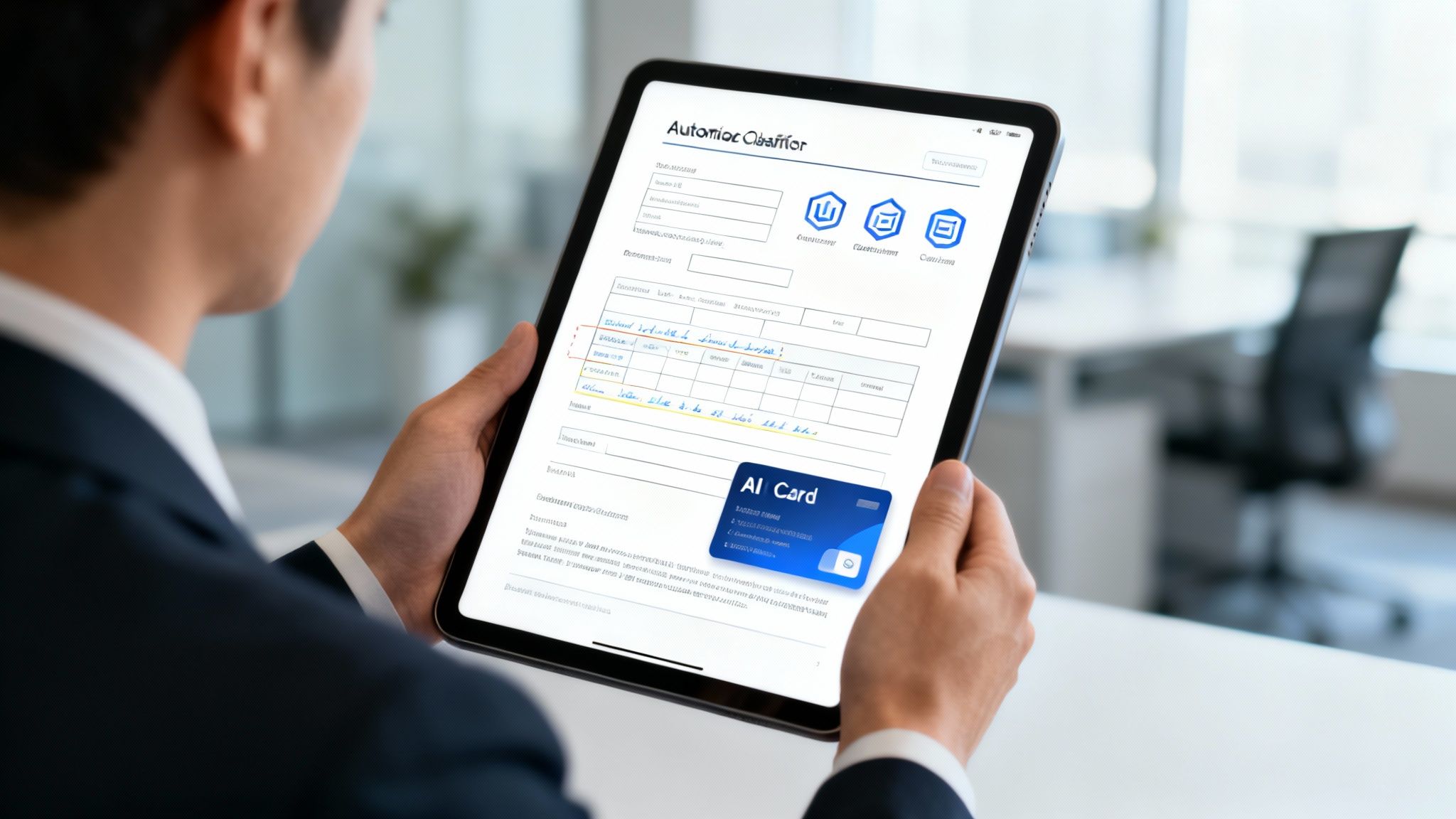
Standard software optical character recognition is excellent at its primary job of turning an image of text into machine-readable characters. But once you have all that raw text, what is next? Getting from simple transcription to genuine business intelligence requires a bigger leap.
This is where Intelligent Document Processing (IDP) comes in. IDP is the next evolution of document automation. It uses OCR as its foundation but adds layers of artificial intelligence to not just read the text, but to actually understand its meaning, context, and purpose.
From Reading Text to Understanding Content
Think of it this way: OCR is like a skilled typist who can perfectly copy a book written in a language they do not speak. The words are accurate, but the meaning is completely lost on them.
IDP, on the other hand, is the multilingual expert who not only transcribes the book but also summarizes the plot, identifies the characters, and explains the core themes. It understands the “why” behind the “what.”
This deeper comprehension comes from combining OCR with advanced AI like Natural Language Processing (NLP) and machine learning models.
Here’s how IDP takes things to the next level:
- Document Classification: The system automatically determines what kind of document it is looking at—an invoice, a purchase order, a legal contract, or a medical record—without any human input.
- Contextual Data Extraction: Instead of just outputting all the text, IDP knows how to find and extract specific, high-value data. For an invoice, it knows to look for the “Total Amount Due,” “Invoice Number,” and “Vendor Name,” because it understands the relationship between those labels and their corresponding values.
- Information Validation: IDP can cross-reference information to check for errors. For example, it can add up the line items on an invoice to confirm they match the stated total, flagging any discrepancies for human review.
Putting Intelligence into Practice
This leap from simple data extraction to contextual understanding unlocks a whole new world of automation and insight. A bank can use IDP to automatically sort incoming loan applications, extract key applicant data like income and credit history, and flag any missing documents, all before a loan officer ever sees the file.
Likewise, an insurance company can process thousands of claims forms a day. An IDP system can identify the claim type, extract the policy number and incident details, and route it to the right department, dramatically reducing claim processing times. This kind of intelligent automation is a massive driver of market growth. The global OCR market is projected to hit USD 60.7 billion by 2035, a surge powered largely by the integration of AI technologies that make IDP possible. You can explore more about these market projections and the technologies driving them.
With IDP, documents are no longer static files to be processed. They become dynamic sources of structured, actionable intelligence that can trigger automated workflows and inform critical business decisions.
The outputs from these sophisticated IDP systems, however, are far more complex than a simple text file. Verifying their accuracy requires a specialized approach. At Prudent Partners, our advanced AI quality assurance services are designed to validate these complex outputs, ensuring the structured intelligence your business relies on is accurate, consistent, and ready for action.
Your OCR Questions, Answered
We have covered a lot of ground, from the fundamentals of optical character recognition software to its real-world impact. To tie it all together, let’s tackle some of the most common questions that arise when businesses start exploring this technology.
What’s the Difference Between OCR and IDP?
Think of it this way: OCR is the reader, and Intelligent Document Processing (IDP) is the interpreter.
OCR is the foundational engine that scans a document and converts the pixels into machine-readable characters. It is a powerful transcription tool, but it does not know what those characters mean.
IDP is the next layer. It uses OCR as its eyes but adds an AI brain to understand the context. IDP can identify that it is looking at an invoice, find the total amount, and extract the due date, turning raw text into structured, usable data.
Just How Accurate Is Modern OCR Software?
Modern deep-learning OCR is incredibly effective, often achieving 98% accuracy or higher on clean, typed documents. But that number can decrease when faced with challenges like low-resolution scans, complex layouts, or messy handwriting.
For critical business processes where errors are costly, that last 2% matters. This is where a human-in-the-loop validation process becomes essential to catch those final few errors, and why high-quality data annotation and AI QA services are so important.
Can OCR Actually Read Handwriting?
Yes, though results can vary. Modern OCR, especially AI-driven engines, have become much better at deciphering both print and cursive handwriting. This specific capability is often called Intelligent Character Recognition (ICR).
The catch is that accuracy depends entirely on the neatness and consistency of the writing. It works well for structured forms where people write in predictable boxes, but it can be easily tripped up by sloppy, rushed, or highly stylized script.
Is OCR Software Secure?
The security of your OCR setup depends on your deployment choice. Using a cloud-based API from a major provider like Google or AWS is generally secure, but it means sending your data outside your firewall.
For organizations handling sensitive information like patient records or financial statements, an on-premise solution offers the highest level of security. Keeping all processing within your own network gives you complete control over who accesses your data and helps ensure regulatory compliance.
Ready to turn your documents into reliable, structured data? Prudent Partners provides the high-quality data annotation and AI quality assurance needed to build and validate powerful OCR and IDP solutions with guaranteed accuracy.
Let’s talk about making your data work for you. Connect with our experts today.